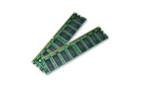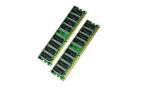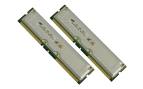

Memory Upgrade for HP OmniBook 5000C/CT/CTS Laptop
HP OmniBook 5000C/CT/CTS memory specification, configuration, and compatible memory options available.


HP OmniBook 5000C/CT/CTS Laptop Memory Questions.
What type of memory does the HP OmniBook 5000C/CT/CTS Laptop take?
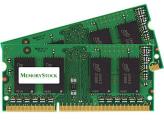
The HP OmniBook 5000C/CT/CTS Laptop takes the n/a memory type, and comes installed with 8 or 16 MB (removable) memory.
How much memory does the HP OmniBook 5000C/CT/CTS Laptop take?
You can upgrade your HP OmniBook 5000C/CT/CTS Laptop to up to a maximum memory capacity of 64 MB Memory.
How many total memory slots to install memory?
The Laptop has 2 sockets to install memory, already with 8 or 16 MB (removable) standard memory installed. For best OmniBook 5000C/CT/CTS Laptop performance use the maximum amount of 64 MB, fill all the slots with the max allowed memory per slot for your Laptop.
What is the warranty on these memory? What if the memory is not compatible?
We give a guarantee that these memory will be compatible on your OmniBook 5000C/CT/CTS Laptop. If you have any issues, we provide you with a life-time replacement warranty. We have a 14 days return policy, and you can return the memory if you are not satisfied.
Do you have these memory in stock? What shipping options do you provide?
All memory listed here are in stock. We ship your memory the same day we receive your order. We ship via FedEx and USPS. We have fast and cheap shipping options available. Receive this memory by tomorrow, choose guaranteed FedEx one-day delivery option (place your order before 3PM PST). Check all the shipping options and rates we provide.
Why choose MemoryStock for your memory?
We have been shipping memory RAM since 1999. When it comes to Laptop memory, quality and compatibility are important. Generic memory suppliers do not ensure memory compatibility. When you place an order with us, it goes through a 3-step process 1) Memory Compatibility Check 2) Memory Quality Check 3) Quality Shipment Packaging. We make sure the memory you receive is top quality and 100% compatible with your Laptop. Our expert after sales team provides you with support for installation and troubleshooting anytime you require it.
Our customers can't be wrong.
 Check OmniBook 5000C/CT/CTS Laptop compatible memory.
How to upgrade, install or replace memory on OmniBook 5000C/CT/CTS Laptop?
Installing memory on a Laptop is quick and easy. Please check this HP Laptop Memory Installation Video, this is a generic memory installation procedure for HP Laptop. For more help on adding extra memory on OmniBook 5000C/CT/CTS contact our live support.
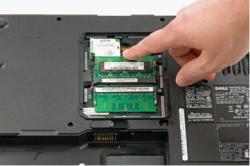
Laptop Memory Installation Video
More Questions?
Click here to talk to us now!.
Our Customer Feedbacks



 |
 |
 |
 |